A lot of companies get so caught up in thinking about website design, or the kind of products that they’re going to sell online, that they forget about one of the most important elements of digital success: choosing the right domain.
Your domain name is your identity in the digital world, and your opportunity to establish authority in your chosen niche. Without the right domain name, you’ll struggle to build a lucrative presence for your business, and you may even have a hard time selling your company when it’s time to invest in something new.
Buying a domain name doesn’t have to be a complicated process, but sometimes choosing the right solution for your business can seem like a significant challenge. You’ll need to make sure that you do your research and pick something that’s going to resonate with your target audience, give you plenty of sales opportunities in the future, and start your organization off on the right foot.

Step 1: Should You Start from Scratch or Buy a New Domain?
Perhaps one of the first things you’ll need to consider when it comes to securing the right domain for your new venture is whether you want to buy something that someone else has already created or launch a new identity from scratch.
If your company name is something like "Marketing Pros", then you’d probably want to buy a domain name like "MarketingPros.com". Unfortunately, there’s always a chance that your perfect name might have been taken by someone else.
The good news? Just because someone else has your domain, doesn’t mean they’re using it. If they’re not, then you should be able to buy the domain name for a pretty reasonable price.
On the other hand, if the owner of the domain has spent years building their own online presence, then they’re going to expect you to pay for their hard work.
If you’re happy to get the website valued and pay whatever the domain owner thinks it’s worth – then congratulations, you’ve probably saved yourself a lot of time. On the other hand, if you’d rather not spend that cash when you’re just starting to launch your business for the first time, then you’re going to have to start from scratch and put the work in yourself.
Step 2: Choose a "Brandable" Name
Sometimes, the obvious name for your domain presents itself to you on a golden platter – like with the Marketing Pros example above. However, if the exact name for your business is taken, then you might need to get a little creative to find something "brandable" for your business.
Branding is an essential part of running a successful company. It not only improves the chances that you’ll build customer loyalty and earn name recognition over time, but it also makes it easier to market your company. The right brand is what separates you from the crowd in today’s overly-saturated marketplace. So how do you get a "brandable" domain?
-
Start by looking at your keywords:
When companies launch their own website online, their end-aim is often to make sure that they can rank for a specific selection of terms and phrases. For instance, if you run a digital marketing company, then you’ll want your site to show up when people search for "Digital Marketing" on google. Using your keywords in your domain name will help your website to rank higher in the search engine results, and it will also make your company more "brandable" too because it shows your customers what you’re all about.
-
Make it easy to remember:
A brandable domain is one that your customers don’t have to struggle to remember. You need to make sure that people can find you without already knowing how to spell your name. That means that you want your URL to be easy to spell and pronounce. Don’t use any words that could potentially be spelled in a range of different ways.
-
Avoid punctuation:
This comes in the same category as the "make it easy to remember" rule. If your domain is full of hyphens and other punctuation, then that’s going to make it much harder for people to find you. Take your inspiration from companies like Google, Facebook, and Twitter, and keep it simple.
3. Choose the Right Extension
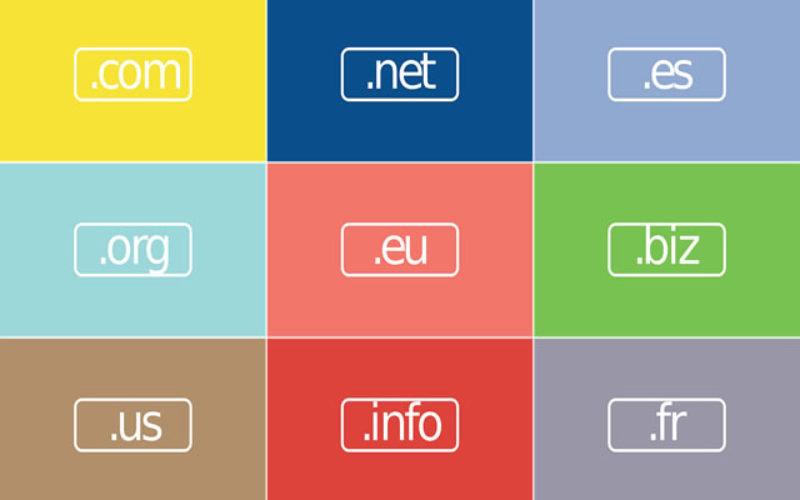
Okay, so by this point you should know the first part of what your domain is going to look like: www.website – but then what? You, not something to finish that URL off. Generally, the most common and well-known option is ".com". The "com" stands for commercial, and it shows users that they’re visiting a site that’s owned by a professional company.
Of course, there are plenty of other extensions available today if .com isn’t available – including:
- .org
- .info
- .net
- .biz
While .com has the most authority, you might find that a different extension works better for you, depending on what industry you’re involved with.
If you do manage to get your hands on the sought-after .com extension, it’s worth purchasing the domains for the other extensions you can think of too. This simply means that you’re protected from other competitors buying up similar websites to yours in the future and using those sites to damage your reputation. Even if the person who gets your other domain extensions doesn’t use them to damage your brand, you could end up with your customers visiting their site instead of yours, which isn’t great for your profit margins.
4. Keep it Short
We’ve already discussed the value of keeping your domain name as simple and memorable as possible, but it’s also worth limiting the number of characters on your website too. According to one study conducted on domain length performance, the best websites have no more than six characters in their domain name. Think Google, for instance.
While sticking to a very short domain name gives you less room to work with – particularly if your business name is something like "Marketing Pros", it does give you a great opportunity to be creative. A short domain name won’t necessarily translate into success, but most people will be more likely to type out a short address than a long one.
If you can’t think of a short name that’s going to work for your company – don’t worry, you can still run a pretty successful business with a domain that’s longer than six characters. The key is to stick to no more than two words if possible.
5. Get Registered
Finally, once you’ve chosen your domain name, you’ll be able to register it. Ideally, you’ll want to pick a credible and authentic domain registration company for this task, so make sure that you do your research before you hand over any cash. A lot of business owners actually make the mistake of assigning the job of buying a domain name and establishing the website to an employee.
While there’s nothing wrong with delegation, if your employee accidentally buys the domain in their own name, that could cause problems in the future. You’ll need the domain to be linked to your name so that you don’t have to worry if your employee decides to leave the company one day – or worse, gets fired.
While you’re setting up your domain name, consider applying for automatic renewal too. You’d be surprised how many entrepreneurs forget to renew their domain name and end up losing their site to a competitor.
Image Credit: Pixabay
nice post? … share it!
| google+ |
TIPS: business selling steps
- 【GREATLY IMPROVE WORK EFFICIENCY】Our standing desk isperfect for people who have coma's after eating or just want to...
- 【LARGE EXTENDING KEYBOARD AND WOKE AREA】The extending keyboard area of our adjustable height desk is perfect, lots of...
- 【EASY ASSEMBLY】For our adjustable height desk Start standing right awayand enjoy the benefits of increased productivity...

- EASY TO SIT / STAND: The X-Elite PRO is an adjustable standing desk converter. It goes up and down with ease in a matter of...
- BIG SURFACE: Grab your computer and place it right on top of your new stand up workstation, using the modern single flat...
- ERGONOMIC HEIGHT RANGE: Standing height is 7 inches to 16 inches - you choose the right height for you!
- Light weight aluminum tray - makes carrying easy and holds your computer at virtually any position or angle
- Fully adjustable legs - rotate 360 degrees and lock in place at various angles. Quickly collapse the stand to make it...
- Multiple uses - table can also be used for a TV dinner tray, sound equipment, projector, standing desk, Book tray, writing...
- Space-Saving Vertical Elevation: Standing desk rises and folds vertically so no extra room or workplace arrangement is needed
- Smoother Sit to Stand Transition: Equipped with a gas spring hovering system that keeps your devices stable and makes them...
- 12 Heights to Choose: Height adjustable desk elevates your laptop or monitors from 5.31" to 20.4" for the most comfortable...

- EASY TO SIT/STAND - Our sit and stand desk has a durable steel base and a pneumatic air cylinder for smooth raising and...
- SITTING IS THE NEW SMOKING - Concerned about your health and wellness? Science continues to show the health threats of...
- ERGONOMIC HEIGHT RANGE- The fluid height adjustment allows more than 200 height adjustable positions according to your...
Last update on 2019-04-01 / Affiliate links / Images from Amazon Product Advertising API
-------------------------------------------------------------------------------------------------------------
-------------------------------------------------------------------------------------------------------------
home remodeling reference (links to internal page)
 |
 |
 |
 |
| directory | photos | forms | guide |
Helpful article? Leave us a quick comment below.
And please share this article within your social networks.